Quick Summary
- Most preplan programs fail not from lack of effort but from painful data collection and preplans that can't be reached during an active response.
- NFPA 1620 provides the framework for what a useful pre-incident plan should contain, from building layout to water supply.
- Field-friendly tools that let crews build plans on the same tablet they respond with remove the biggest barrier to keeping plans current.
- Automatic proximity sorting and offline access are what make preplans genuinely usable en route, not just stored.
- Instant sync across your department and your mutual aid partners keeps everyone working from the same information.
Why Preplan Programs Stall Before They Start
Two chronic failure points explain most abandoned preplan programs, and they sit at opposite ends of the process.
The Collection Problem
The first failure point is collection. When building a preplan means filling out paper cards on a site visit, driving back to the station, and then keying everything into a separate desktop system, the work piles up. Busy shifts and staffing gaps mean the backlog only grows, and the plans that do get made quickly fall out of date.
The Retrieval Problem
The second failure point is retrieval. A preplan is only valuable if a responder can see it in the seconds between dispatch and arrival. If accessing it means remembering which binder, which tab, or which folder, it won't happen during a working incident. The information effectively doesn't exist when it matters most.
Both problems carry a safety cost. Pre-incident planning strengthens situational awareness, improves coordination between responding units, and reduces the likelihood of injuries and property damage by familiarizing crews with a building's layout, hazards, and fire protection systems before they arrive (Western Fire Chiefs Association). A plan that sits unused delivers none of that protection to the firefighters walking through the door.
What NFPA 1620 Actually Asks For
NFPA 1620 is the standard that defines what a pre-incident plan should contain and how departments should build one. Its stated purpose is to provide criteria for developing pre-incident plans that help responders manage emergencies effectively and maximize protection for occupants, responding personnel, property, and the environment (NFPA). In practical terms, it asks departments to capture the details that shape fireground decisions.
Those details include building construction and layout, occupancy type, water supply, fire protection systems, and the operational considerations that differ across occupancies such as schools, hospitals, and industrial facilities (Western Fire Chiefs Association). The standard also emphasizes keeping plans current through regular updates, because outdated information can be as dangerous as no information at all.
One note on the standard itself: the content long known as NFPA 1620 is now part of the consolidated NFPA 1660 standard, though the fire service still widely refers to it as NFPA 1620 (NFPA). The framework and its intent haven't changed. What matters for your department is turning that framework into plans your crews will actually build and use.
Building a Program on the Same Tablet You Respond With
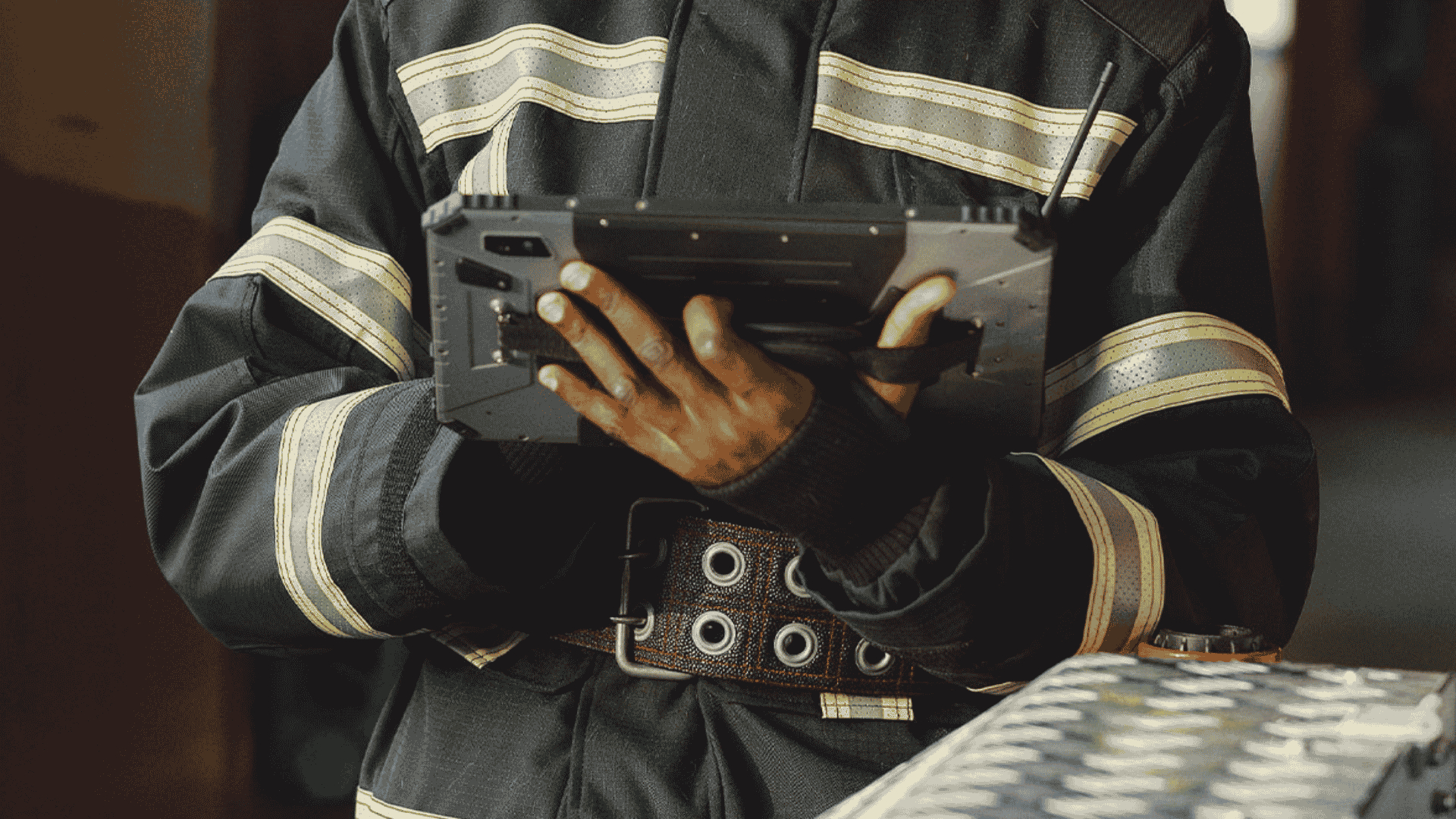
The single biggest way to fix the collection problem is to eliminate the double work. When crews conduct a site survey on the same device they carry during a response, there's no drive back to the station and no separate data entry step. The survey is the plan.
The Preplan Wizard in the Field
StreetWise takes this approach with its Preplan Wizard, a guided field survey that walks personnel step by step through the important details recommended in the NFPA standard. Because the wizard is structured, a firefighter with basic user-level comfort can complete a thorough plan without needing to remember every field. Photos are added instantly during the walkthrough, so the alarm panel, the FDC connection, the roof access, and the hazards are documented visually right where they occur.
This is what StreetWise means when it describes itself as a hybrid of response and preplan software, uniting two traditionally separate functions on one platform. The StreetWise CADlink tablet MDT that runs a response is the same tool that captures the preplan. That single point of familiarity is often what turns preplanning from an occasional project into a routine part of company-level work.
The Part That Makes It Get Used: Retrieval Under Pressure
Collecting good data is only half the battle. The other half is putting it in front of a responder without any effort on their part, in the middle of a call. This is where a lot of otherwise capable systems fall short, and it's where usability truly gets decided.
Plans That Surface on Their Own
StreetWise handles retrieval by doing the searching for the crew. Occupancy preplans automatically sort and list by proximity to the call you're responding to, and they can also appear as icons directly on the map. A responder doesn't hunt for the right plan; the relevant plans surface on their own. Selecting one opens a clean, tabbed display of the occupancy information, organized so the crew can find construction details, hazards, or water supply quickly.
Two more capabilities close the usability gap:
- Offline access. Preplan data can be cached to the tablet, so poor cell coverage in a rural response area or a concrete structure doesn't leave the crew without their plan.
- Response-time readiness. Because the plan is already on the device and sorted by proximity, the information is available at the push of a button rather than after a search.
This directly answers a concern many chiefs raise during evaluations, namely whether a preplan system is flexible and practical enough for real fireground use. A plan that presents itself automatically, works without a signal, and displays cleanly on the same screen the crew already trusts is a plan that gets used.
Sharing Preplans Across Mutual Aid
Combination departments and county agencies rarely respond alone. Mutual and automatic aid mean that the units arriving at a target hazard may come from several departments, and everyone benefits when they share the same picture of the building.
StreetWise syncs new and updated preplans instantly to all agency devices, including StreetWise-equipped mutual aid partners, while each department retains complete control over its own data. When a company finishes a survey of a large occupancy on the edge of its district, neighboring departments that would respond on a mutual aid alarm gain that plan automatically. No emailing files, no version confusion, no wondering whether the plan on the screen is the current one.
A Side Benefit for ISO and Accreditation
There's a secondary benefit worth mentioning briefly. Accurate, well-maintained pre-incident plans and water supply data contribute to the documentation that supports a department's ISO Public Protection Classification and broader accreditation efforts. Strong preplanning is good for firefighter safety first, and it happens to strengthen your department's standing at the same time. You can see how the full suite fits together on the StreetWise all-in-one solution page.
FAQ
How is a digital preplan program different from storing PDFs?
Stored PDFs still require a responder to know where the file is and to open it manually, which rarely happens during a working incident. A digital preplan system built for response automatically surfaces the relevant plan based on proximity to the call, displays it in an organized format, and keeps it current across every device without manual file management.
Does NFPA 1620 require an in-person site visit?
The standard is built around collecting accurate, building-specific information, which realistically means a physical survey of the property. Guided field survey tools are designed to support exactly this kind of on-site data collection, letting crews capture layout, hazards, and photos while they're standing in the building.
Can crews access preplans without cell service?
Yes, when the system supports offline caching. StreetWise allows preplan data to be cached to the tablet in advance, so responders in poor-coverage areas still have full access to the plan during a response.
How do preplans reach mutual aid partners?
With StreetWise, a completed or updated preplan syncs instantly to all agency devices, including mutual aid partners equipped with StreetWise, while each department keeps control of its own data. That means everyone likely to respond on a shared alarm can be working from the same current information.
Turning Preplans From a Binder Into a Habit
A preplan program succeeds or fails on two questions: is it easy enough to build that crews keep it current, and is it available enough that responders actually see it on a call. Answer both, and pre-incident planning delivers the situational awareness and firefighter safety benefits the NFPA framework was designed to provide. Leave either one unanswered, and even the most thorough plans end up as pages nobody opens.
If your department has preplans that are gathering dust, the fix is usually not more discipline from your crews. It's removing the friction that made the plans hard to build and hard to reach in the first place. To see how the Preplan Wizard and proximity-based retrieval work on the same tablet your crews respond with, contact the StreetWise team for a walkthrough.